Using the prompter
Browser teleprompter or installed app – what you actually need
Short answer: A browser teleprompter covers most shoots when it runs on every device without installing anything, a phone works as the remote, several screens stay in sync and mirror mode works on a glass rig. Also insist on recording in the browser, a floating window for calls and a shareable link for the presenter.
What should a teleprompter do?
- Run on any device – laptop, tablet and phone with the same script.
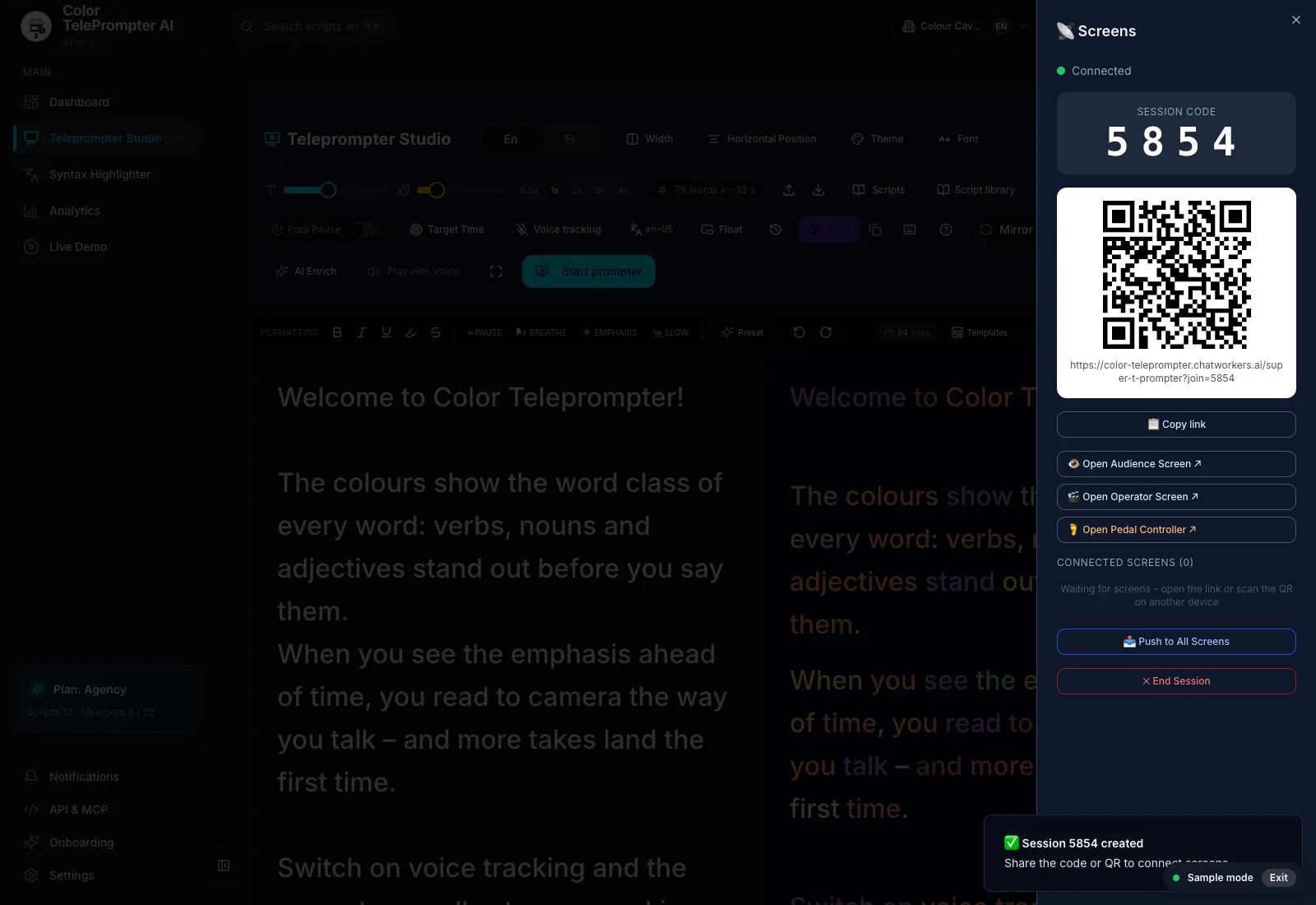
- Remote control – a second phone controls play, speed and position.
- Screens in sync – the camera prompter and the director's screen at the same spot.
- Mirror mode – a glass rig needs flipped text.
- Recording – audio, camera or your whole screen, right in the browser.
- A shareable link – the presenter reads without their own account.
- Duration before you film – script length at different speeds.
When is the browser enough?
Nearly always. A browser prompter opens on the studio machine with nothing to install or maintain, and the same script library is there at the office and on your phone. When the presenter changes, they get a link, not a login.
Do foot pedals and clickers work?
Bluetooth pedals and presentation clickers that send key presses work with the prompter's keyboard shortcuts (for example, Space starts and stops). A second phone works as a remote with no extra hardware.
What really sets prompters apart?
The basics are similar everywhere. The difference is how easy the text is to read naturally: when verbs, nouns and adjectives stand out in colour and the prompter follows your voice, more takes work first time. Try it with your own text in the live demo.
Frequently asked
Do I need to install a teleprompter app?
Not necessarily. A browser teleprompter opens on any device without installing anything, and a phone can be the remote.
Does a browser teleprompter work with a glass rig?
Yes, if it has mirror mode. The text is flipped so it reads the right way round in the glass.
Can I control the teleprompter from my phone?
Yes. Join the session with a code or QR code and your phone controls play and speed.